Compare the best low-profile wireless mechanical keyboards for Mac and Windows—ranked by typing acoustics, wrist ergonomics, and battery life.
In this article
Spend eight hours a day typing on a flat, 1mm-travel laptop keyboard and your fingertips start bottoming out hard against aluminum. Switch to a traditional full-height mechanical keyboard, however, and you immediately run into two new headaches: a tall 22mm front chin that bends your wrists upward unless you add a bulky wrist rest, and loud clacking that leaks straight into client Zoom calls.
Low-profile mechanical keyboards bridge that gap cleanly. By pairing shorter 2.8mm to 3.2mm mechanical switches with internal silicone dampening and slim aluminum frames, today’s best low-profile boards deliver genuine tactile satisfaction, neutral wrist ergonomics, and backpack-friendly portability.
Top Low-Profile Mechanical Keyboards Compared
| Model / Option | Best For | Key Verified Specs | Typical Price Range | Key Trade-off | Check Price |
|---|---|---|---|---|---|
| Lofree Flow Lite 84 | Writers, shared offices & quiet late-night typing | Full-POM Kailh Specter switchesGasket mount + multi-layer silicone dampening2.4GHz dongle + Bluetooth 5.4 + USB-C | $109 – $129 | + Creamy, whisper-quiet acoustic profile straight out of the boxDedicated aluminum volume roller & ultra-low front lip − Uses Lofree's Windows/Mac configurator instead of VIA | Check on Amazon |
| NuPhy Air75 V2 | Hybrid laptop commuters & dual-OS developers | 1000Hz 2.4GHz wireless + QMK/VIADouble-shot PBT keycaps + CNC aluminum frame4,000mAh battery (~200 hrs backlight off) | $119 – $139 | + Massive battery endurance and lag-free 2.4GHz wirelessCrisp macOS and Windows keycap legends included in the box − Slightly firmer tray-mount bottom-out than gasket-mounted Lofree | Check on Amazon |
| Keychron K3 Max | Programmers & power users on a sensible budget | QMK/VIA web launcher + Gateron Low-Profile 2.0IXPE + latex acoustic foam layersHot-swappable PCB option | $94 – $114 | + Zero-install browser-based remapping via Keychron LauncherPhysical Mac/Win toggle switch on the back edge − Smaller 1,550mAh battery needs charging every 2–3 weeks | Check on Amazon |
What Actually Makes a Mechanical Keyboard Office-Quiet?
Many first-time buyers assume “quiet keyboard” simply means buying linear red switches. In reality, switch choice is only half the acoustic equation—the empty echo chamber inside a cheap plastic case is what creates high-pitched clatter. Look for four physical engineering details:
- Gasket or Silicone Plate Mounting: Suspends the switch plate on soft elastomer strips instead of screwing it rigidly to the metal chassis, absorbing harsh bottom-out vibrations.
- Full-POM Self-Lubricating Switches: POM (polyoxymethylene) stems and housings feel noticeably smoother than standard nylon/polycarbonate switches and deepen the acoustic pitch.
- Thick Double-Shot PBT Keycaps: At least 1.3mm thick, PBT plastic resists greasy finger shine for years and sounds deeper than thin laser-etched ABS caps.
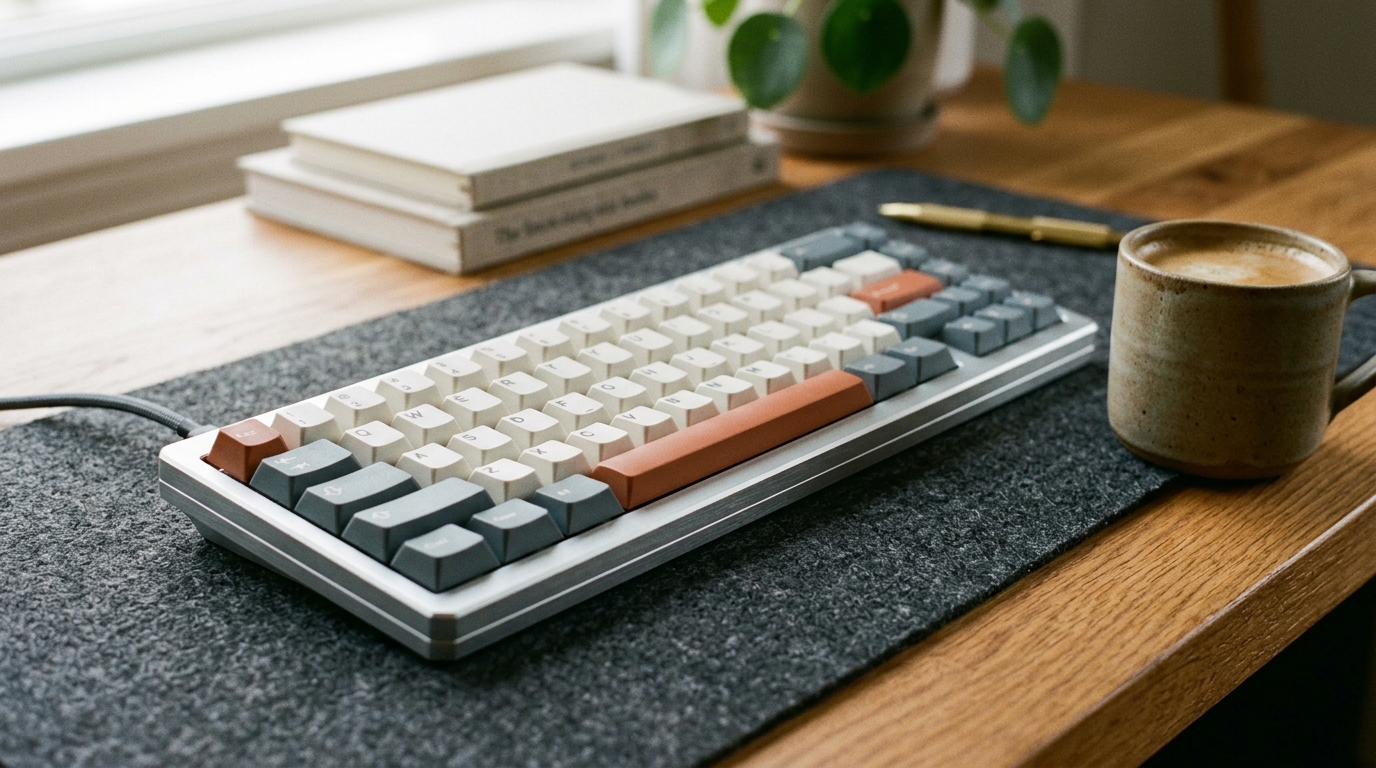
- A Wool or Felt Desk Mat Underneath: Placing any low-profile board directly on bare glass or thin laminate amplifies hollow desk resonance; a 4mm wool mat drops perceived typing volume immediately.
Pick-by-Pick Deep Dive
Lofree Flow Lite 84: The Acoustic Benchmark
Lofree surprised the mechanical keyboard community by bringing true gasket mounting to a low-profile chassis. The Flow Lite 84 refines that formula with a lower front lip, flip-out feet for gentle tilt adjustment, a tactile aluminum volume roller, and full-POM Specter linear switches that glide effortlessly at 40g actuation force. If you type 4,000+ words a day and hate sharp clacking, nothing else in this price bracket sounds this refined.
NuPhy Air75 V2: Best for Commuters & Dual-OS Desks
The NuPhy Air75 V2 is engineered for people who bounce between a home desk, a conference room, and a MacBook/Windows setup. Its massive 4,000mAh battery runs for months with LEDs off, its 1000Hz 2.4GHz USB dongle wakes instantaneously with zero Bluetooth lag, and full QMK/VIA support means your custom shortcuts travel inside the board’s memory wherever you plug in.
Keychron K3 Max: Best Open-Source Value
Keychron’s K3 Max strips away flashy gimmicks and focuses on reliable fundamentals: crisp Gateron Low-Profile 2.0 switches, clean monochrome aesthetics that blend into any corporate desk, dual-stage flip feet, and Keychron’s browser-based Launcher tool for instant key remapping on locked-down work laptops where you cannot install third-party apps.
✓ What We Like (Pros)
- Neutral 10–13mm front lip keeps wrists flat and comfortable without bulky palm rests
- Seamless 3-device Bluetooth + 2.4GHz switching across work laptop, personal desktop, and iPad
- Hot-swappable sockets let you replace a single chattering switch in ten seconds rather than trashing the keyboard
✕ What to Watch Out For (Cons)
- Smaller aftermarket keycap selection compared to full-height Cherry-profile keyboards
- Leaving bright RGB animations on drains wireless batteries up to 5× faster
Final Verdict
- Choose the Lofree Flow Lite 84 if soft, quiet, fatigue-free typing acoustics are your number-one priority.
- Choose the NuPhy Air75 V2 if you want the longest battery life, travel durability, and instant 2.4GHz + QMK/VIA versatility.
- Choose the Keychron K3 Max if you want understated corporate styling and browser-based remapping under $115.
Frequently Asked Questions
Do low-profile mechanical keyboards require a wrist rest?
Usually no. With a front typing height around 10mm to 13mm, low-profile mechanical boards keep your wrists naturally neutral without needing a separate foam or wooden palm rest.
Which low-profile switch type is quietest for shared offices and Zoom calls?
Factory-lubed linear switches (such as Kailh Specter or Gateron Red) or dampened silent tactile switches produce a soft, muted thock rather than a sharp click, staying well below a dynamic microphone's pickup floor.
Can I remap keys on these keyboards for both macOS and Windows?
Yes. Keyboards with QMK/VIA firmware let you save custom layers, shortcuts, and macOS/Windows modifier layouts directly inside the keyboard's onboard memory without background bloatware.
How long does the battery last on a wireless low-profile mechanical keyboard?
With RGB backlighting turned off, a 3,000mAh to 4,000mAh low-profile keyboard easily runs 4 to 8 weeks per USB-C charge. Turning bright RGB effects on cuts battery life down to 4 to 7 days.
Are low-profile switches hot-swappable with standard full-height Cherry MX switches?
No. Low-profile switches use different pin layouts and shorter housings than full-height Cherry MX switches, so you can only swap between compatible low-profile switches from the same footprint (for example Kailh Choc V2 or Gateron Low-Profile 2.0).
Should I pick a 75% layout or a full-size 96%/100% layout for work?
A 75% layout keeps dedicated arrow keys and the function row while bringing your mouse 4 inches closer to your shoulder—improving ergonomics dramatically unless you enter heavy numerical data in spreadsheets all day.